
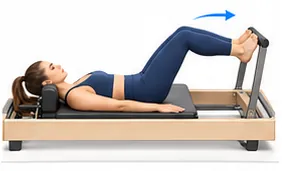
Build from a template or a blank page
Pick a level, then a ready template or a blank page. Add exercises from the library, drag to reorder, and set the dose, side and a note for each exercise.
Build a mat or apparatus class in minutes, then teach it straight from your phone. An illustrated exercise library, method templates, springs, limitations and history, all in one place.
Coming soon to Google Play and the App Store · first week free
For professionals only. Made for certified Pilates instructors and teachers only, not for clients. Responsibility for the class, for fitting the exercises to each client and for how they are performed rests solely with the instructor.
Three tabs: Classes, Library, My studio. Everything saves automatically while you build.
Pick a level, then a ready template or a blank page. Add exercises from the library, drag to reorder, and set the dose, side and a note for each exercise.
Hundreds of exercises with an illustration, cueing tips, common mistakes, variations and a muscle map. Search in English, in Hebrew, and by the names other methods use.
A clean screen for the class itself: one exercise after another, with dose, springs, cue and your note. At the end, mark it as taught.
History: who you taught, when, and what worked. A classes-per-week chart over 8 weeks and a short reflection for each class. The same tab holds colours, language and backup.
Export the class to a print-ready PDF or an image: exercise, dose, side, springs and a short cue. Opens straight in WhatsApp.
Add your own exercises to the library. Five colour sets and six languages: עברית, English, العربية, Español, Français, Русский.
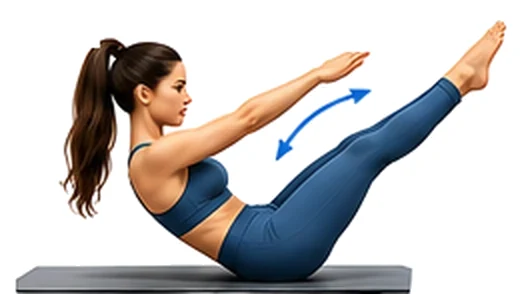
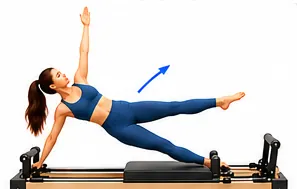
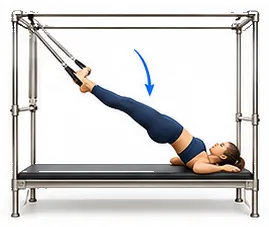
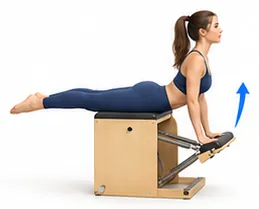
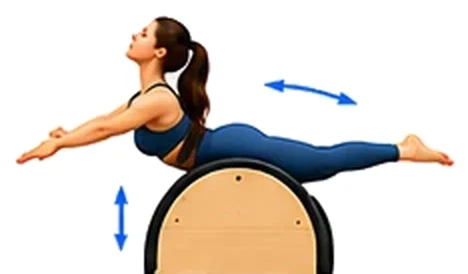
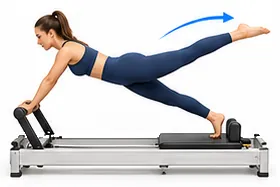
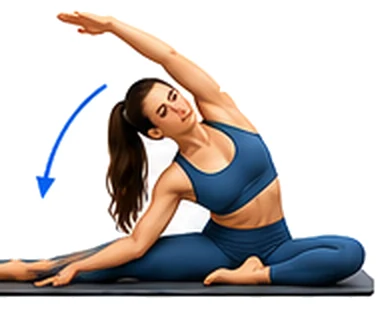
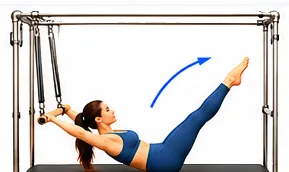
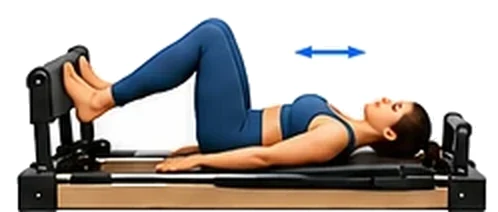
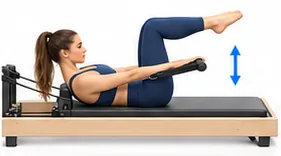
When you get to the studio, tap "Teach" and the class opens on a big, clear screen in warmer light.
The library, the builder and teaching mode all work in a studio with no signal. No waiting for anything to load.
No sign-up and no password. Open the app and start building.
All your classes, history and settings in one file. Choose Google Drive (or iCloud Drive on iPhone) in the save dialog, and restore from it when you need to.
The app has five colour sets. Try them here and the site will change to match:
You can try the app free for a week, then unlock it with a one-time purchase. It includes everything it has today, with no internet and no account, and sending a class to a colleague as a file stays free. A subscription adds a personal class library in the cloud. The app and the subscription are sold only inside the app, through Google Play or the App Store. Nothing is sold or charged on this site. The store shows the price in your local currency before you confirm.
Billed monthly
Billed yearly · two months free
For certified Pilates instructors and teachers only. It is a working tool for planning and teaching a class, not a workout program for clients. The app does not replace professional training or medical advice, and responsibility for the class, for fitting the exercises to each client and for how they are performed rests solely with the instructor.
No. Everything is stored on the device and works without a connection. You only need a network if you choose to save a backup to the cloud or send a class sheet.
Not for the app: no sign-up, no user and no password. An account is only needed for a subscription, and you open it with your email and a code we send you.
A personal class library in the cloud: save classes to it, download them to any device and share them with subscribed instructors. Monthly or yearly, bought inside the app through Google Play or the App Store. A class you downloaded stays with you even if the subscription ends, and sending a class as a file is free even without one.
Yes, in your Google Play or App Store subscription settings. The monthly plan stays active until the end of the month you paid for. The yearly plan is paid upfront; you can turn off renewal at any time and it stays active until the end of the year you paid for. Refund requests follow the store's policy.
Save a backup file (to Google Drive, for example), and on the new phone choose "Restore from backup". Restoring replaces everything in the app with the contents of the backup.
Mat, Reformer, Cadillac, Chair, Barrel and Tower. Every exercise has a level, a starting position, a spinal direction and a BASI block, so you can filter by what you need.
Yes. "+ My own exercise" in the library: name, apparatus, level, reps or time, springs, cues, common mistakes, variations and who to watch out for.
No. Marking them helps leave exercises flagged for caution out of the template, but the professional decision stays yours.
The app is on its way to Google Play and the App Store. The links will appear here.
Pilates Assistant for Android and iPhone. A free trial week, then a one-time in-app purchase.